How to Design a Visiting Card Online for Free (Complete Guide)
Why Design Your Visiting Card Online?
A visiting card has traditionally meant a printed piece of paper — designed once at a local printer and handed out until the stack runs out. Today, that's changing. You can still design a visiting card online for free in a few minutes using simple template tools, but more businesses are also creating a parallel digital visiting card — a single online profile that works alongside, or instead of, the printed version. This guide covers both: how to design your own visiting card online for free, what to include on it, and how a digital visiting card maker like SmartProfile fits in once you're ready to move beyond paper.
Best Free Tools to Design a Visiting Card Online
A few free tools cover most of what you need, whether you want a printable card or a digital one:
Canva — the most popular free visiting card maker, with hundreds of printable templates and easy drag-and-drop editing.
Adobe Express — a similar free template library with more advanced typography and layout controls.
SmartProfile — instead of a printable design, this creates a digital business card/profile you can share instantly through a link, QR code, or NFC, with no printing involved.
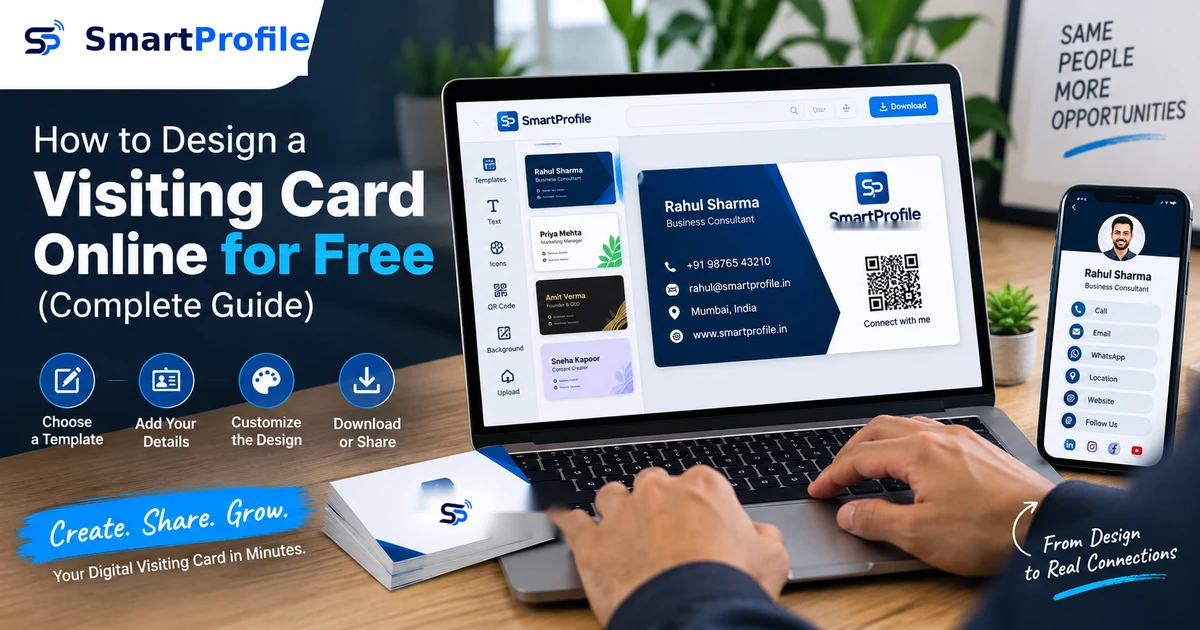
Canva and Adobe Express follow the same basic flow: pick a template close to what you want, swap in your own name, logo, and contact details, adjust colors, and export the file. SmartProfile works differently — you fill in your details once and get a permanent shareable profile instead of a file to print.
Step-by-Step: How to Design a Visiting Card Online for Free
Step 1. Choose a free visiting card maker (Canva is a good starting point for most people).
Step 2. Search for "visiting card" or "business card" templates within the tool.
Step 3. Pick a template that matches your industry and preferred style.
Step 4. Replace the placeholder text with your name, business name, phone number, and address.
Step 5. Upload your logo if you have one, or use the tool's icon library.
Step 6. Adjust colors and fonts to match your brand.
Step 7. Download the design as a print-ready PDF (usually 300 DPI, with bleed if your printer requires it).
Step 8. Send the file to a local or online printer, or print it yourself if you have access to good quality cardstock.
The whole process typically takes 15 to 30 minutes for a simple design.
What to Include on Your Visiting Card
A visiting card works best when it sticks to the essentials rather than trying to fit everything (see our full guide on what to put on a digital business card for the digital version):
Your name and job title, business name and logo, phone number, and a way to reach you online — whether that's an email address, a website, or a single link that covers all of it.
Keep it uncluttered. A card crowded with five phone numbers, three email addresses, and a full list of services usually looks less professional than one with just the essentials and a clean layout.
The Catch With Traditional Visiting Cards
Free design tools solve the design problem, but they don't solve a few practical issues that come with printed cards.
Once you print a batch, any change to your phone number, address, or designation means reprinting the whole stack. If you switch offices or change your role, your existing cards become outdated overnight.
Paper cards also get lost, damaged, or thrown away long before the person ever gets around to saving your number. And a printed card can only hold so much — there's no room to link to your portfolio, your product catalog, or your social profiles.
A Digital Business Card as a Free, Reusable Alternative
This is where a digital business card fits in. Instead of designing something to print once, you create a single online profile — your name, contact details, WhatsApp button, social links, and even products or services — all on one page you can share with a link, QR code, or NFC card.
With SmartProfile, your profile stays at one permanent link (smartprofile.in/yourname), so if your phone number or address changes, you just update it once — anyone who already has your link automatically sees the new details. There's nothing to reprint and nothing to reorder. Your profile can also be shared through a QR code or an NFC card, making contactless sharing easy at networking events and in-person meetings.
You can still design a traditional visiting card for situations where a physical handoff feels right, and pair it with your digital profile for everything else — sharing on WhatsApp, adding to your email signature, or handing out at events where a QR code is faster than typing out a phone number.
Create a Free Digital Visiting Card
Skip the printing altogether and create a professional digital visiting card you can update anytime and share through WhatsApp, QR code, or NFC. Create your free digital business card on SmartProfile — use code FREECARD at checkout to get the Basic plan completely free.
Free Visiting Card vs Digital Business Card: Quick Comparison
Using a free visiting card maker online gets you a printable file, but every update means a new print run, and the card can only hold basic contact details. A free digital visiting card costs nothing to update, can include your website, social links, products, and even a WhatsApp button, and works instantly through a link, QR code, or NFC tap — no printing required at all.
If you're deciding between the two, there's no reason to pick just one. Use a free visiting card maker online for the moments where a physical card matters, and set up a digital visiting card as your always-updated, always-shareable backup.