How to Make Your Digital Business Card Look More Professional
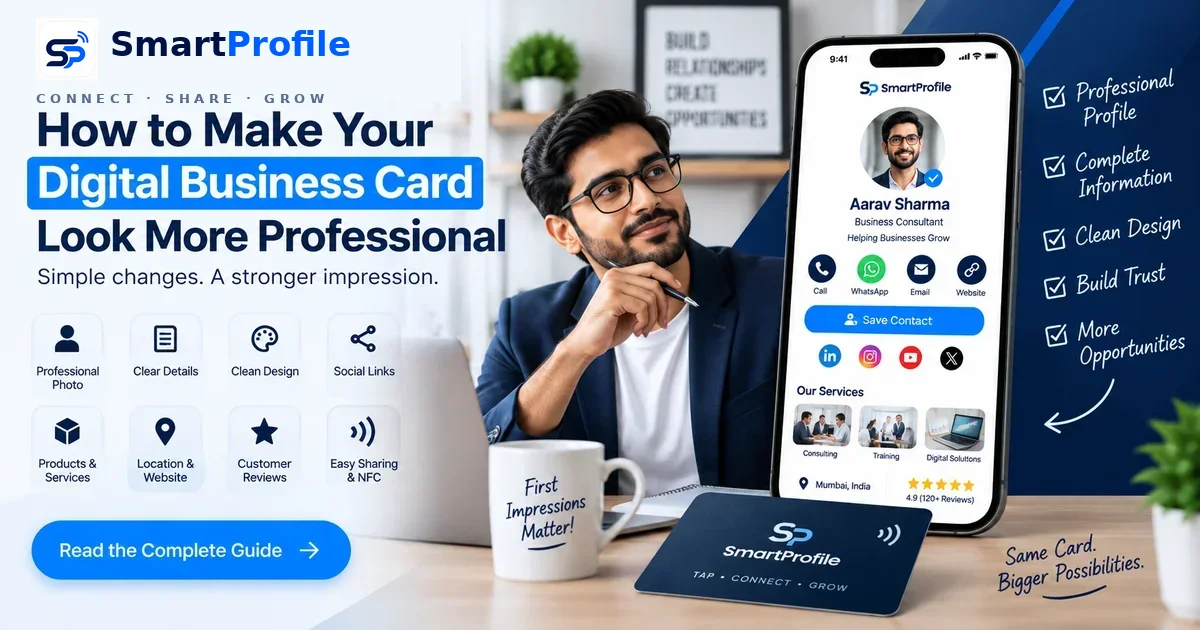
A professional digital business card does more than share your phone number — it works like a mini business profile, giving anyone who views it a clear, trustworthy first impression of who you are and what your business offers, one of the key benefits of digital business cards over paper ones. Whether you're a freelancer, a shop owner, or running a growing team, a few deliberate choices can turn a basic card into one that genuinely represents your brand.
Here are 12 practical ways to make your professional digital business card stand out.
1. Use a Professional Profile Photo
Your photo or logo is the first thing anyone notices. A blurry, poorly lit, or randomly cropped image undermines everything else on your card, no matter how good the rest of it looks.
Use a square image of at least 500x500px, choose good lighting and a plain background for your professional headshot, and upload your actual logo file (not a screenshot) if you're representing a business rather than yourself.
2. Keep Your Name & Job Title Clear
Your name and role should be the second thing a visitor reads, right after your photo. Keep the job title specific and easy to understand. "Founder, ABC Consulting" tells someone far more than a vague label like "Entrepreneur" or "Professional."
If your role has multiple layers, pick the one most relevant to how people usually find you.
3. Add Only Important Contact Information
It's tempting to add every possible way to reach you, but a card packed with five phone numbers and three emails feels cluttered and confusing. Stick to the contact methods people actually use: one phone number, WhatsApp, and a primary email.
Every additional detail should earn its place by making it easier, not harder, for someone to reach you.
4. Use a Clean, Consistent Design
A digital business card design that jumps between colors, fonts, and layouts feels chaotic. Stick to two or three brand colors throughout your card, banner, and any NFC cards you order, so your profile feels like one cohesive brand rather than a patchwork of sections.
A simple top-to-bottom structure works for almost any industry: photo and name, tagline, contact actions, then services or portfolio.
5. Add Your Social Media Profiles
Social links help build trust by showing there's an active, real business behind the card. Rather than listing every platform you've ever signed up for, include only the two or three where you're genuinely active and where clients are likely to look, such as Instagram, LinkedIn, or Facebook.
6. Show Your Business Location & Website
If you serve local customers, your location builds confidence and helps with discovery. Pairing your digital business card with a business directory listing makes it even easier for nearby customers to find you when they're searching for services like yours.
If you have a website, link to it as well, but make sure your card itself already contains enough information that a visitor isn't forced to click away just to learn what you do.
7. Add Products or Services
A card that only shows contact details misses an opportunity. Listing your core products or services, even briefly, helps visitors immediately understand what you offer and whether it's relevant to their needs — see our full guide on what to put on a digital business card for more.
For service-based businesses, a short list with one line of description per service usually works better than long paragraphs that most visitors won't read in full.
8. Include Customer Reviews & Testimonials
Customer reviews and testimonials can strengthen credibility by showing that other people have used and trusted your business. Even two or three short testimonials can meaningfully increase how professional and reliable your digital business card for small business feels to a new visitor.
If you're just starting to collect reviews, asking satisfied customers directly right after a successful order or service is one of the simplest ways to start gathering them.
9. Make It Easy to Share
A professional card should be effortless to pass along. Make sure your card link, QR code, and any share buttons are working and visible, since a card that's hard to share defeats its own purpose no matter how well it's designed.
WhatsApp is one of the most common sharing channels in India, simply send your card link directly in a chat, or add it to your WhatsApp Business profile's About section so every contact can see it.
10. Add NFC for Instant Sharing
An NFC digital business card takes sharing a step further. Instead of asking someone to scan a QR code or type a link, a single tap can open your digital profile on a compatible smartphone. This feels noticeably more polished in face-to-face settings like client meetings, trade shows, or networking events, and it reinforces the same professional impression your digital profile already creates online.
11. Make Sure It Looks Great on Mobile
Most people will view your card on a phone, often within seconds of receiving it. Test your card on your own mobile device regularly. Check that images load properly, buttons are easy to tap, and text doesn't overflow or get cut off on smaller screens.
A card that looks great on a laptop but breaks on mobile will cost you more first impressions than almost any other mistake.
12. Keep Your Information Updated
An outdated phone number, an old job title, or a dead link quietly damages the professional image you've worked to build. Since a digital card lives on one permanent link, updating it takes a few minutes and instantly reflects everywhere your card has already been shared.
Set a reminder every couple of months to review your details, especially after any change to your role, contact number, or services offered. We've also covered the most common issues to watch for in Digital Business Card Mistakes That Can Make You Look Unprofessional.

Frequently Asked Questions
Bringing It All Together
A truly professional digital business card works less like a static contact card and more like a mini business profile: your photo and title, contact details, social profiles, products or services, location, customer reviews, and NFC sharing, all living on one link that's always up to date.
That's exactly the approach SmartProfile is built around. Create your professional digital business card today and put your entire business presence in one place your customers can trust.